Running and monitoring Jobs
A Job is the execution of a process in GoAMS. When you create a Job, you are telling a Runner to run that process. In this tutorial, you will learn how to create Jobs, assign Runners and track the status of each execution in real time.
What is a Job?
A Job represents an individual execution of a process. Every time a process runs — whether manually or by schedule — a Job is created. The Job has its own status, logs and results, allowing you to track exactly what happened in each execution.
Jobs screen
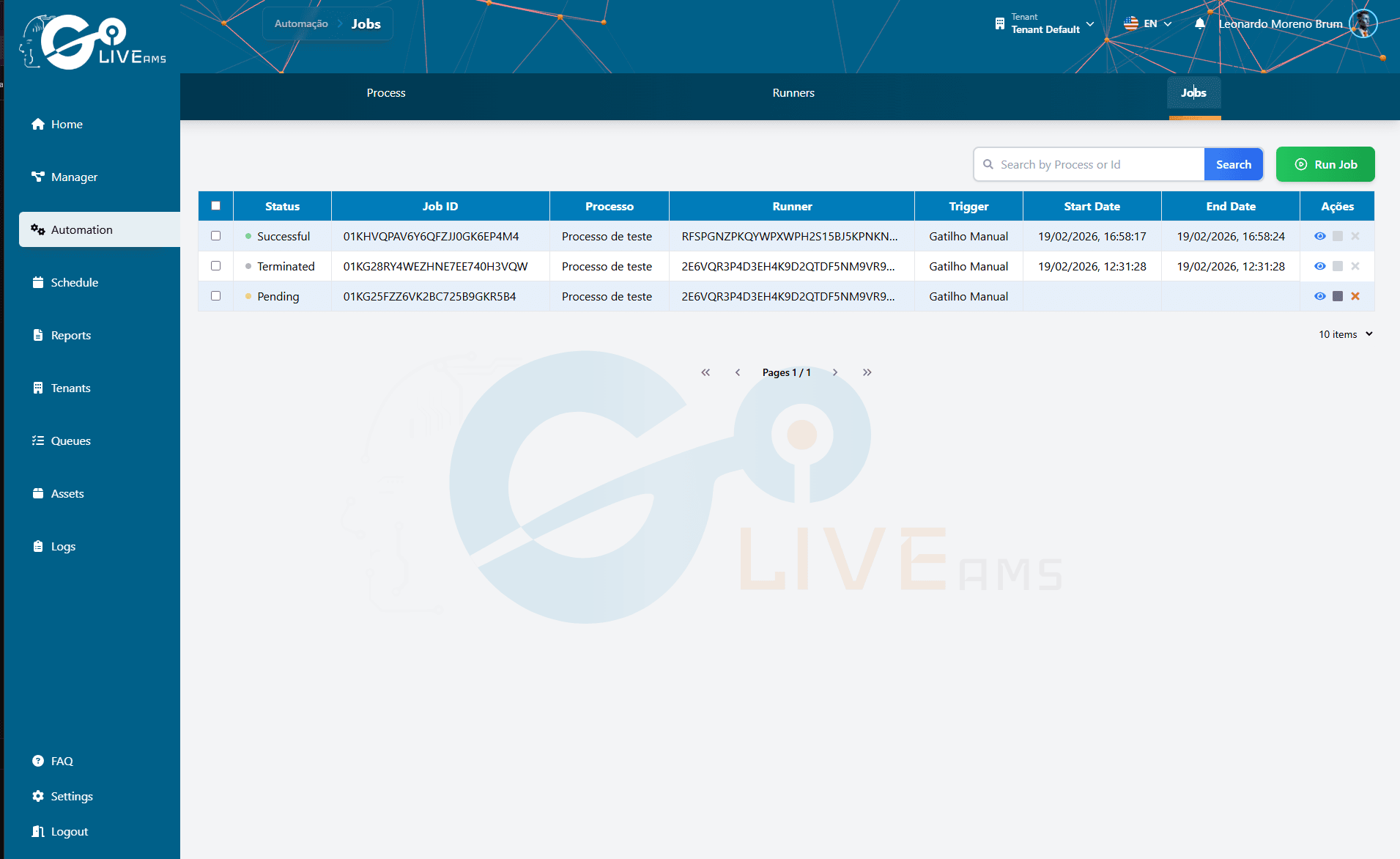
In the Jobs section of the GoAMS dashboard, you will find a table with all Jobs. Each row shows the executed process, the assigned Runner, the current status and other execution details. From this screen you can create new Jobs and track those already in progress.
Creating a new Job
Step 1: Go to the Jobs section
In the GoAMS dashboard, go to the Jobs section. You will see the table with existing Jobs.
Step 2: Click to create a new Job
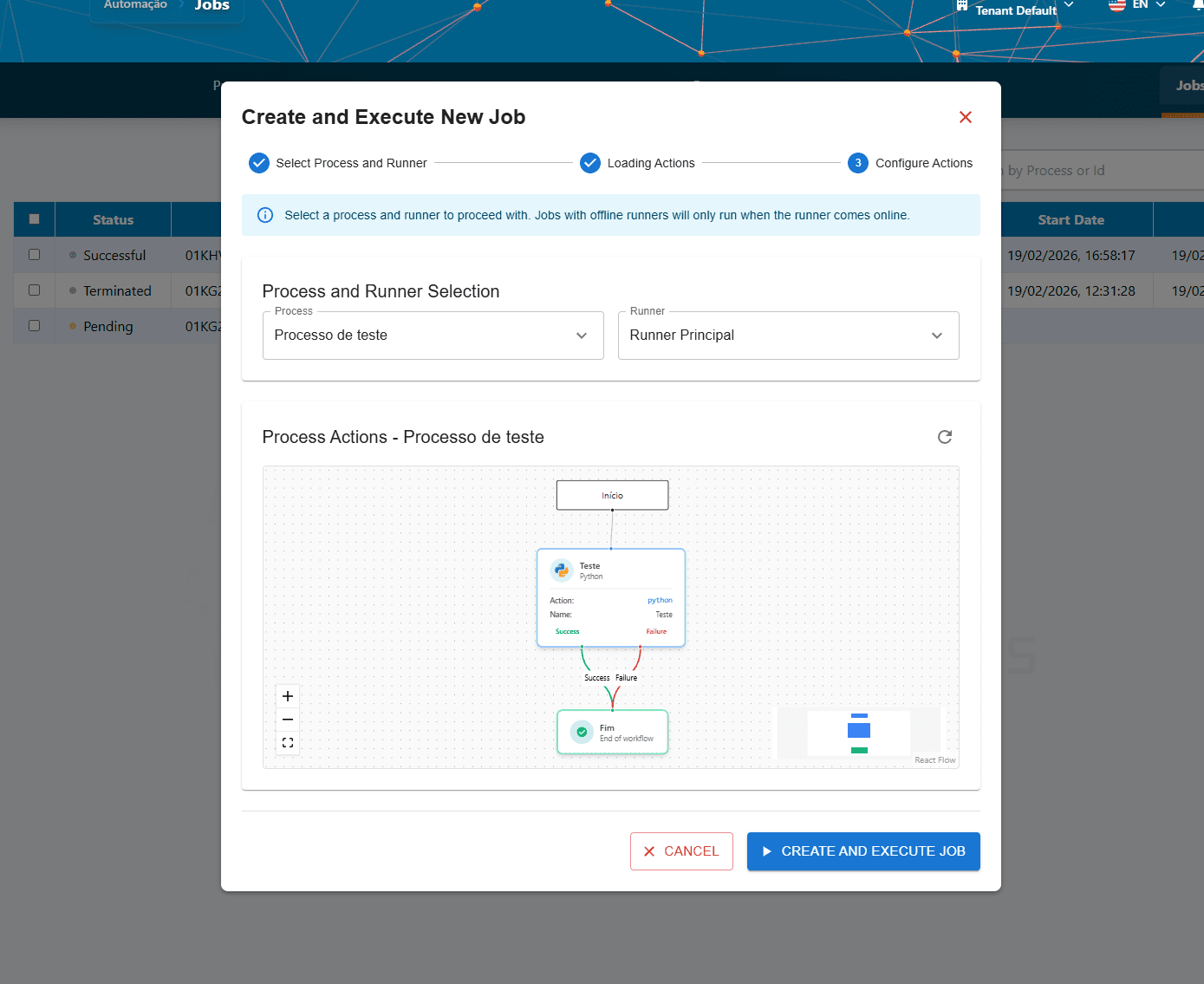
Click the button to add a new Job. A form will appear.
Step 3: Select the process
Choose which process you want to run. The list shows all available processes with their respective workflows already configured.
Step 4: Assign a Runner
Select which Runner will execute this process. The Runner needs to have "Online" status to start the execution. If the Runner is offline, the Job will remain pending until it comes online.
Step 5: Confirm and create the Job
Review the information and confirm the Job creation. The Job will be added to the table and will enter the execution cycle.
Important
The Job only starts executing when the assigned Runner is online. If the Runner is offline at the time of creation, the Job will have "Pending" status until the Runner connects.
Job status
The Job status updates in real time as execution progresses. The possible statuses are:
Pending — Job created, waiting for the Runner to come online or become available
Running — The Runner is executing the process right now
Success — The process executed successfully and finished without errors
Terminated — The execution was stopped (manually interrupted or timed out)
Error — The execution failed during the process
Job lifecycle
Every Job follows a lifecycle:
The Job is created and starts as Pending
When the Runner is online and available, the status changes to Running
The status updates in real time while the Runner executes the workflow
Upon completion, the Job receives a final status: Success, Terminated or Error
The completed Job remains in the table for reference
Tip
When a Job reaches a final status (Success, Terminated or Error), execution stops. You can check the logs and results at any time to understand what happened.
Monitoring executions
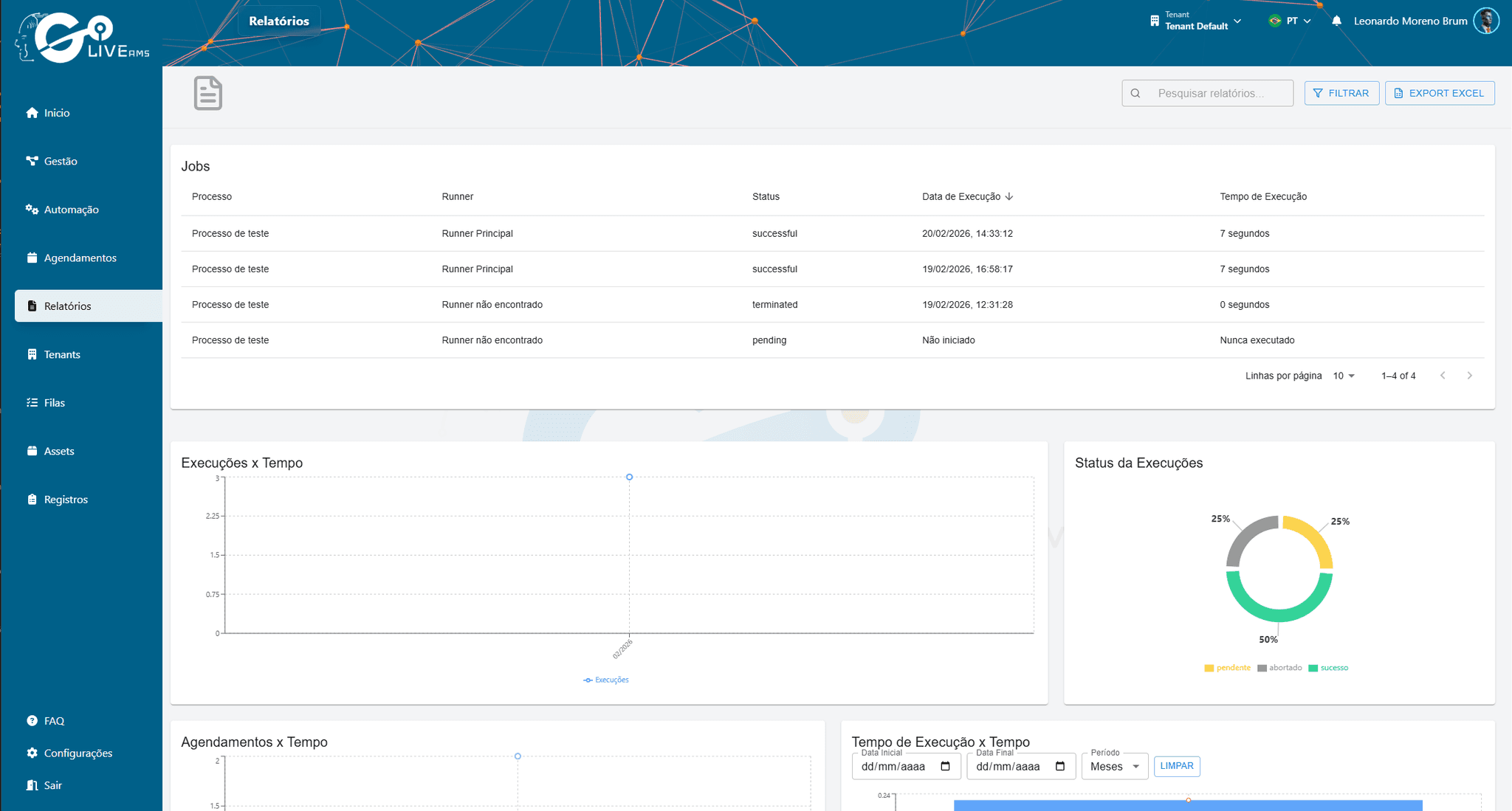
In the Jobs table, you can track all ongoing and completed executions:
Summary
To run a process with Jobs:
- 1
Go to the Jobs section in the GoAMS dashboard
- 2
Create a new Job by selecting the process and assigning a Runner
- 3
The Job stays pending until the Runner is online
- 4
The Runner executes the process and the status updates in real time
- 5
Upon completion, the Job gets a status of Success, Terminated or Error
Next steps
With Jobs mastered, you can: